
Looking For Cloud Backup

Looking For Cloud Backup
Acronis Cloud Backup

We will help you to choose the best plan!

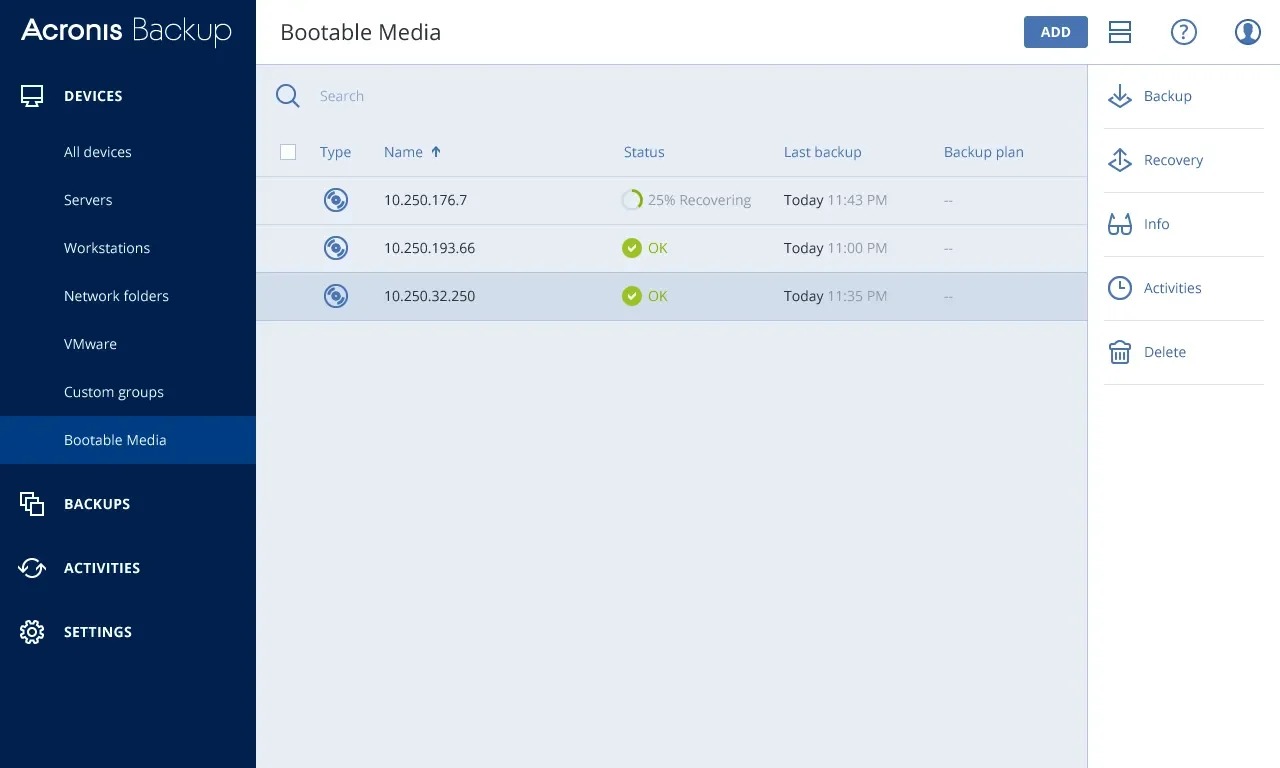
Centralized Backup Management and Secure Access with Acronis Cloud Login

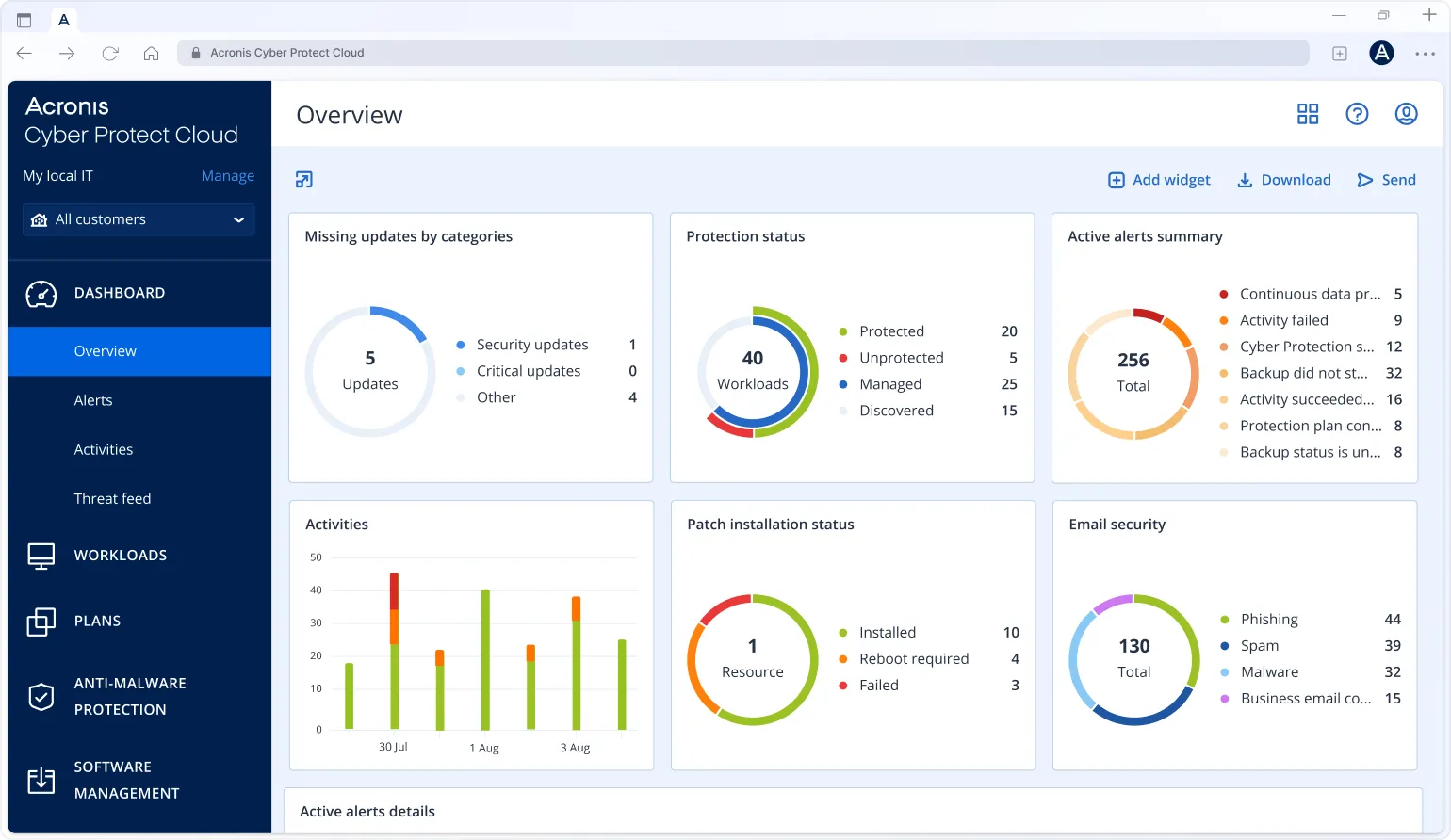
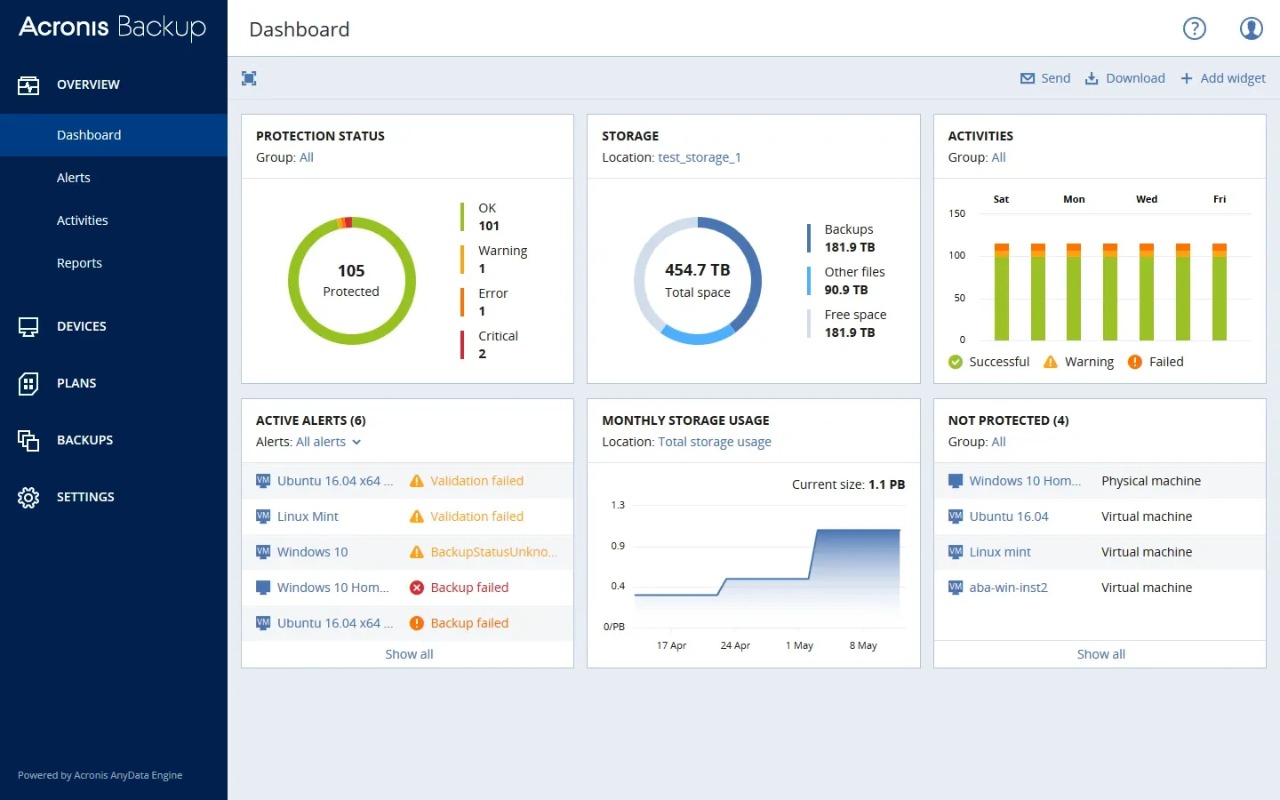
Managing backups across systems can quickly become messy. With a centralized dashboard, everything stays in one place, making monitoring, control, and security settings easier to manage without switching between platforms. This make day-to-day operations smoother for IT teams

Access is simple but secure. Teams can log in from anywhere, track activity in real time, and respond to issues without delay. Visibility improves, and operations continue smoothly without disruption through Acronis cloud login

  • Easy access via cloud Acronis login
  • Secure authentication with role based control
  • Real time monitoring and reporting
  • Simplified management using login Acronis cloud

This setup gives clear visibility and better control over your backup and security environment
Acronis Cloud Backup

Complete Acronis Backup Solutions for Modern Workloads

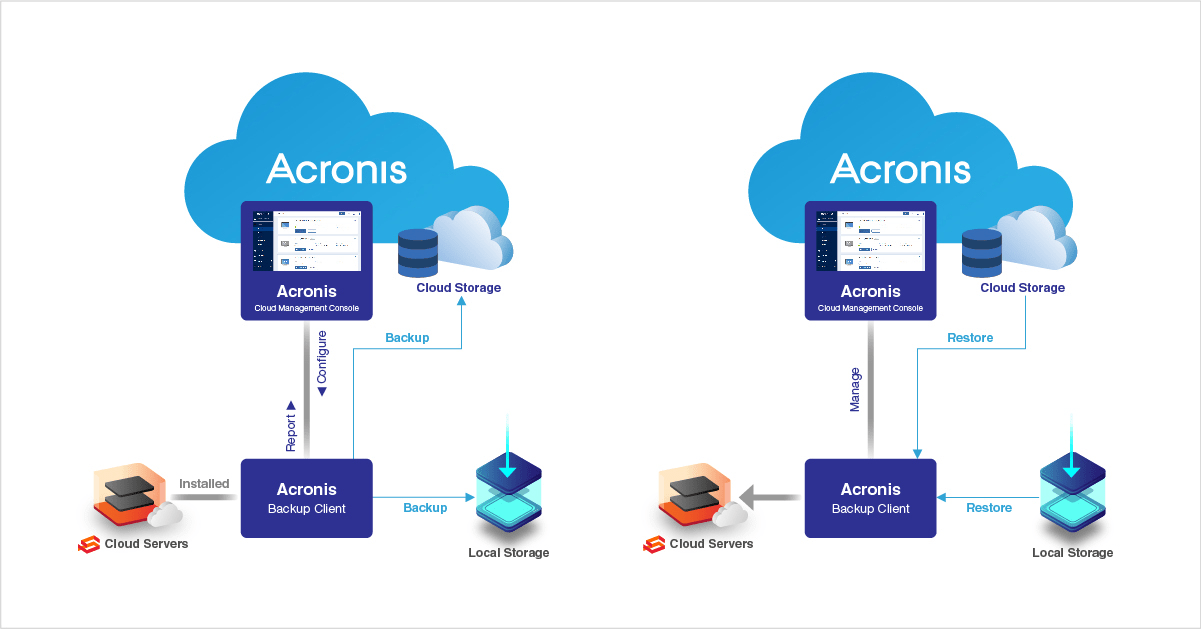
NetForChoice offers a reliable Acronis backup solution that fits modern IT environments without adding unnecessary complexity. Instead of managing separate tools, everything works together, making it easier to protect, monitor, and recover data

If something goes wrong, recovery does not turn into a long process. Systems can be restored quickly, helping you avoid long outages and keeping operations steady even in critical situations

Acronis Backup & Recovery for Critical Systems

  • Multi workload protection across cloud, virtual, and physical environments
  • Instant data restoration to minimize downtime
  • Automated backup scheduling for consistent protection
  • High availability architecture with built in redundancy

Whether you are scaling or stabilizing operations, your data remains protected with consistent performance and long term reliability

Flexible and Transparent Acronis Pricing for Scalable Business Growth

Pricing should not slow down your growth. NetForChoice keeps it flexible so you can scale based on what you actually need and without unnecessary costs or over-provisioning

As workloads grow, resources can be adjusted without disrupting performance. This makes it easier for both small teams and large enterprises to manage costs while maintaining efficiency

  • Pay as you use model
  • Scalable storage and resources
  • Custom configurations for enterprises

The focus stays on control, both operational and financial, so your business can expand without friction
Acronis Cloud Backup Solution
Acronis Cloud Backup

Enterprise Backup Protection for Microsoft 365 and Business Critical Servers

Data no longer sits in one place. It moves across platforms, devices, and locations. NetForChoice helps secure both cloud based and on premise environments without adding complexity to your workflow

Whether it’s collaboration data or core business systems, protection stays consistent across every layer

  • Acronis office 365 backup protects emails, files, and collaboration data
  • Acronis server backup supports continuous protection for critical workloads

This unified approach makes recovery faster and keeps your data reliable across the entire environment

Why Businesses Choose NetForChoice for Acronis Solutions?

Businesses choose NetForChoice because reliability is not optional, it’s expected. The infrastructure is built to handle demanding workloads while maintaining consistent performance and strong security

With Acronis cyber cloud, everything stays visible and manageable from one place, helping teams stay in control without added complexity
  • Tier III and Tier IV certified infrastructure
  • 99.995% uptime backed environment
  • Enterprise grade security and compliance
  • 24/7 responsive and dedicated Acronis support
  • Scalable and future ready solutions
Acronis Cloud Backup Solution

FAQ

> It is a software solution for protecting data and maintaining system stability. It may be installed as part of a backup or security setup, often by an IT team or service provider. Its role is to create secure copies of files and system configurations so they can be restored if something goes wrong. This helps prevent data loss caused by hardware issues, accidental deletion, or cyber threats, ensuring your system remains reliable and protected.
> Yes, it is considered a secure option for protecting important information. It uses encryption, secure storage practices, and built in safeguards to keep data protected from unauthorized access and threats. Automated processes help maintain regular backups without manual effort, reducing the risk of loss. When managed through a trusted provider, it also benefits from strong infrastructure and monitoring, ensuring consistent protection, quick recovery, and compliance with security standards.
> It is a secure access system that allows users to manage their backup environment through an online dashboard. From this interface, users can monitor activity, schedule tasks, and restore files when needed. It simplifies operations by bringing everything into one place, making it easier to control multiple systems. With authentication controls and user permissions, it ensures only authorized individuals can access and manage sensitive information.
It is a process that involves creating copies of data and restoring them when required. This approach helps businesses recover quickly from system failures, cyber incidents, or accidental loss. It supports full system restoration as well as individual file recovery across different environments. By automating these tasks, it reduces downtime and ensures continuity without complex manual steps, making it easier to maintain operations even during unexpected disruptions.
> The cost depends on several factors such as storage size, number of systems, and level of protection required. Instead of fixed pricing, it usually follows a flexible model that adjusts based on usage. This allows businesses to scale their setups as they grow without paying for unnecessary resources. Service providers often offer customized plans, helping organizations select the right balance between performance, protection, and long term value.
> Both are data protection tools, but they differ in scope. One primarily focuses on backup and recovery, especially for virtual environments, while the other combines backup with built in security features like threat detection and ransomware protection. The integrated approach reduces the need for multiple tools and simplifies management. It is often preferred by organizations looking for a single platform that handles both protection and security efficiently.
> It is typically installed to protect your system and important files from potential risks. Many organizations use it as part of their data protection strategy to ensure regular backups and quick recovery options. This helps avoid data loss caused by system crashes, human errors, or cyber incidents. Having installed means your system is prepared to recover quickly, reducing downtime and maintaining productivity.
> It refers to a cloud based platform that allows users to store, manage, and protect data remotely. Instead of relying on local storage, data is securely stored in remote servers, making it accessible from anywhere. This approach improves flexibility and scalability while reducing dependency on physical infrastructure. It also provides centralized control, allowing businesses to monitor and manage their data across multiple systems with ease.
> It is recognized for offering a combination of data protection and cybersecurity in a single platform. Known for fast recovery, reliable backups, and strong security features, it supports both cloud and on premise environments. Businesses value its ability to simplify complex processes while maintaining high levels of protection. Its all-in-one approach helps organizations manage data efficiently without relying on multiple tools.
> The four main types include network security, application security, information security, and endpoint security. Network security protects systems from unauthorized access, while application security focuses on preventing software vulnerabilities. Information security ensures sensitive data remains protected, and endpoint security safeguards devices such as computers and servers. Together, these layers create a strong defense system that helps businesses protect their data, systems, and operations from various threats.

We will help you to choose the best plan!

WhatsApp